Rekordbox Remote App: What Exists and How to Reach Your DJ Library
Rekordbox remote app: no official page describes a phone remote for desktop Rekordbox. See what the mobile app does and how to reach your DJ library.

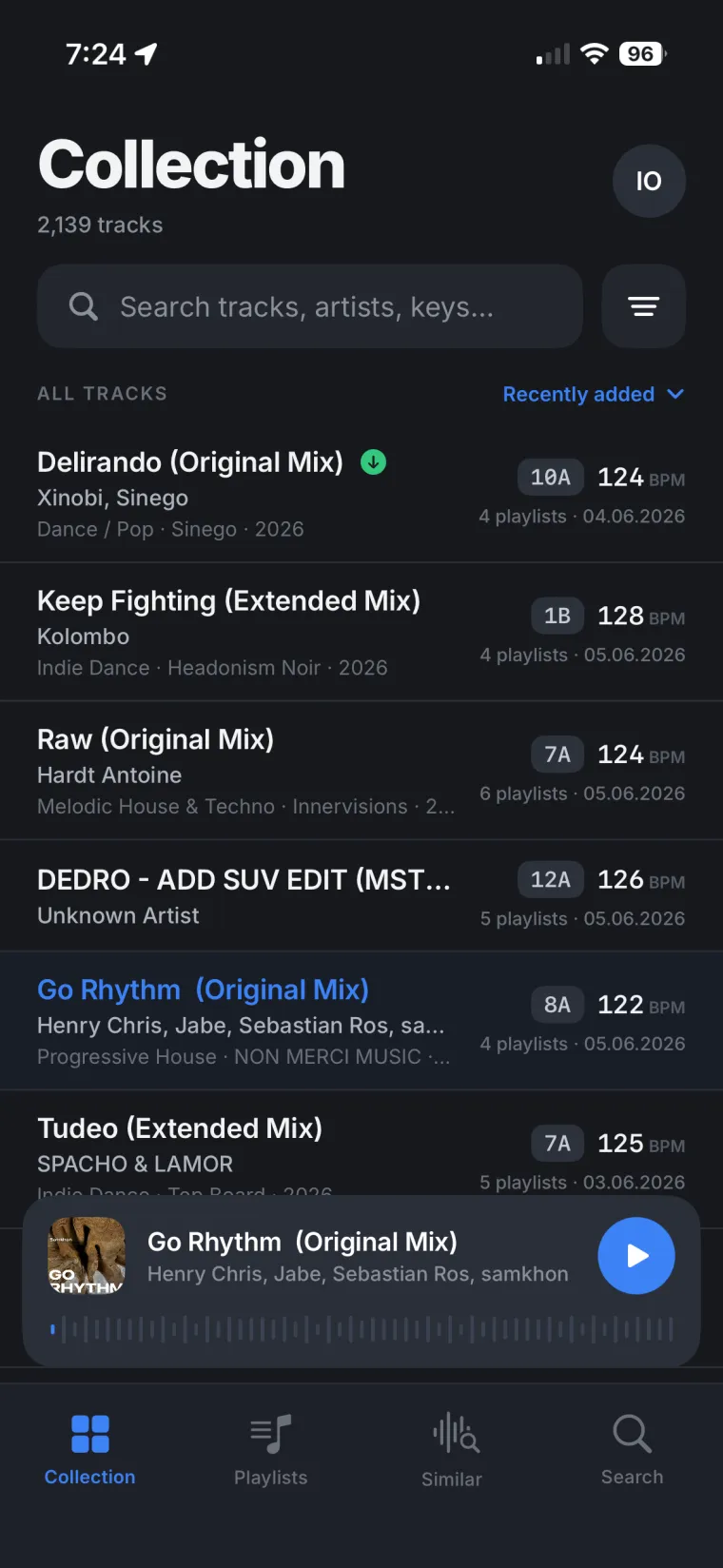
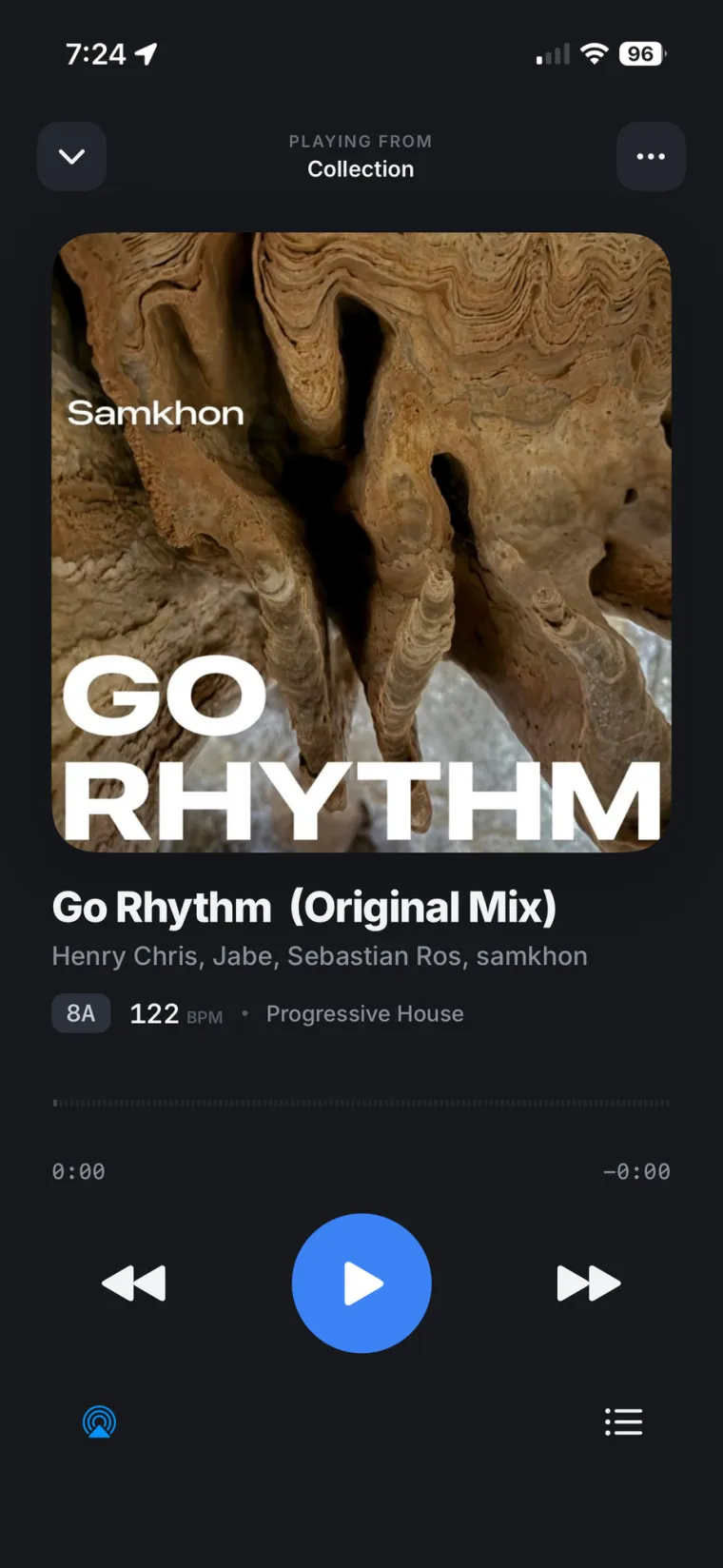
There is no official Rekordbox remote app that we could find. AlphaTheta's support pages describe the rekordbox mobile app for iOS and Android, which connects to CDJ and XDJ players and syncs your DJ library, but none of them describes a phone that controls rekordbox on your computer. If what you really want is to reach your DJ library from your phone, there are a few real ways, and they are below.

Want your DJ library on your phone?
Rimeo streams your whole Rekordbox DJ library from your own computer to your iPhone or any browser. Nothing gets uploaded.
Is there a Rekordbox remote app?
We checked the rekordbox FAQ index and the mobile feature page. The FAQ lists categories for rekordbox on Mac and Windows, for iOS and for Android. There is no category or article for a "rekordbox remote" app. The official mobile page talks about DJing on your phone, playlists, effects and streaming services, not about controlling the computer version.
That is why the phrase "rekordbox remote" can mean three different things. Pick the one that matches your goal:
- Control CDJ or XDJ players from a phone. This is what the mobile app does with PRO DJ LINK.
- Move your DJ library between computer and phone. This is Mobile Library Sync and Cloud Library Sync.
- Open your DJ library on your phone when you are away from the computer. This is remote access, and it needs a different tool.
What the Rekordbox mobile app does instead
The mobile app is a small DJ app and a place to prepare playlists. According to the feature page, you can create playlists, use effects, mix tracks, and start DJing on your phone for free. It runs on recent versions of iOS, iPadOS and Android (Android 13 to 16 are listed). It can also connect to compatible controllers and to compatible CDJ or XDJ players.
For a deeper look, see our guides on the Rekordbox iPhone app and the Rekordbox Android app.
Can you use your phone as a remote for CDJ and XDJ players?
Partly. The support page on connecting to DJ units lists rekordbox for iOS (ver. 4) as a PRO DJ LINK device. With a compatible unit, the vendor says you can "directly play tracks from your mobile device in your DJ set". The same page names players such as the CDJ-3000X, CDJ-3000, XDJ-AZ and OMNIS-DUO.
Some facts from that page that save time:
- For Wi-Fi, connect the players and the mixer to a wireless router with a built-in switching hub, then connect your phone to the same router.
- For a wired link, the page lists USB Type-B, USB Type-C or Ethernet. USB Type-A is not supported on iOS version 4.
- Tracks from streaming services are not available when connecting via Wi-Fi.
- The iOS app may stop or pause in the background, so keep it in front.
This is about playing from your phone through the players. It does not let you browse the Rekordbox library on your computer from the couch.
How to reach your Rekordbox library remotely
Here the options split by where you are.
On the same Wi-Fi: Mobile Library Sync
Mobile Library Sync moves tracks and playlists between your computer and phone. The support page says to connect both to the same Wi-Fi network, then use Settings > Connect to rekordbox (Mac/Win) on the phone and SEARCH MOBILE on the computer. The page states no price for it. It also does not say it works away from home. More detail is in our guide to Rekordbox Mobile Library Sync.
From anywhere: Cloud Library Sync
For use "on the move", the vendor points to Cloud Library Sync, which keeps your tracks in your own Dropbox or Google Drive. That means uploading your files, and the full library needs a higher plan. We broke down the costs in Rekordbox Cloud Library Sync price.
From anywhere, without an upload: stream from your own computer
If you do not want to upload anything, you can stream your DJ library from the computer that already holds it. This is what Rimeo does: the Rimeo app runs on your Mac or Windows computer, reads your Rekordbox library, and streams it to your phone or any browser. At home it works over Wi-Fi, and away from home through an encrypted tunnel. Your computer must be on while you stream. See how to access your Rekordbox library from your phone or any browser for the full setup.
Open your DJ library from anywhere
Rimeo streams your Rekordbox DJ library from your own computer to your phone or any browser, with nothing uploaded. On an iPhone you can also download a playlist ahead of time and play it with no signal.
What a remote tool can and cannot do
Be clear about the limit. Rimeo does not drive Rekordbox on your computer and does not control decks. It shows your DJ library on the phone: playlists, folders, BPM, key, genre and play history. It does not read cue points. The waveform in Rimeo is its own, made for jumping around inside a track.
Offline listening works only for tracks you downloaded earlier while the computer was on, and only in the iPhone app. On iPad and Android you use the browser player, which has no offline mode.
Which option fits you?
- You play on CDJ or XDJ players and want your phone as a source: use the rekordbox mobile app with PRO DJ LINK.
- You are at home and want a few playlists on your phone: Mobile Library Sync on the same Wi-Fi.
- You are away and are fine uploading to Dropbox or Google Drive: Cloud Library Sync, on a plan that covers your DJ library size.
- You are away and do not want to upload your files: stream from your own computer. Our overview of every way to get your Rekordbox library on a phone compares them side by side.
Quick checklist before you try any of them
- Decide your goal: controlling players, moving files, or just opening your DJ library.
- Check that your phone's OS version is on the vendor's list.
- Keep your computer on and awake if you plan to stream from it.
- Download the playlists you need before you travel if you want to play them with no signal.
Build playlists on the phone, finish them in Rekordbox
Most people who search for a remote want to do prep without sitting at the computer. Rimeo has a step for that too: build a playlist on your phone, then run Sync to Rekordbox and the playlist appears in Rekordbox with the same name, folder and order. It only writes playlists, never audio or tags, and it backs up your Rekordbox database before every write. Sync runs from an Apple Silicon Mac or a Windows PC, is started from the iPhone app or a phone browser, and needs Rekordbox to be closed.
Prep your next set away from your desk
Rimeo lets you open your DJ library on your phone, check BPM and key, and build the playlist there. Sync to Rekordbox then puts that playlist into Rekordbox on your computer.
Sources
FAQ
Is there a Rekordbox remote app?
We found no official page that describes an app for controlling rekordbox on a computer from a phone. AlphaTheta offers the rekordbox mobile app for iOS and Android, which works as a small DJ app, connects to CDJ and XDJ players, and syncs your DJ library.
Can I control CDJ or XDJ players from my phone with rekordbox?
The rekordbox iOS app (ver. 4) is listed as a PRO DJ LINK device. It connects to compatible players over Wi-Fi through a router, or by USB Type-B, USB Type-C or Ethernet, and you can play tracks from your phone through them.
Does Rekordbox Mobile Library Sync work away from home?
The support page says to connect the computer and the phone to the same Wi-Fi network. It does not say Mobile Library Sync works away from home. For use on the move, the vendor points to Cloud Library Sync, which uses Dropbox or Google Drive.
How can I open my Rekordbox library on my phone without uploading it?
Stream it from your own computer. Rimeo runs on your Mac or Windows computer, reads your Rekordbox library and streams it to your phone or a browser. The computer must be on while you stream.
Can I play my DJ library on my phone with no signal?
Only tracks you downloaded earlier. In the Rimeo iPhone app you download tracks or playlists while your computer is on, then play them offline. The browser player on iPad and Android has no offline mode.