How to Stream Your Rekordbox Library to Your iPhone
Three ways to get your Rekordbox library on your iPhone: the official cloud, Dropbox, or streaming from your own computer. What each costs and where it breaks.

Your whole library lives in Rekordbox on your laptop. Your phone is in your pocket. Getting one to the other is more annoying than it should be — so here are the three real ways to do it, and the honest trade-offs of each.
The short answer
To listen to your Rekordbox tracks on your iPhone you have three options:
- rekordbox for iOS + CloudDirectPlay — official, but you pay a subscription and your files get uploaded to the cloud.
- Dropbox / cloud sync — works, but you're duplicating your whole library into someone else's storage.
- Stream from your own computer — your files stay on your drive, your phone just plays them. This is what Rimeo does.
Below is what each one actually means in practice.
Option 1 — rekordbox for iOS + CloudDirectPlay
AlphaTheta's own answer. You install rekordbox on iPhone, turn on CloudDirectPlay, and your library syncs through their cloud so you can browse and play it on mobile.
It works. The catch: CloudDirectPlay is a paid plan, and your tracks are uploaded to their cloud to make it happen. If you've got a 200 GB lossless library, you're uploading 200 GB and paying for the storage to keep it there.
Option 2 — Dropbox or another cloud drive
The DIY route: drop your music folder into Dropbox/Google Drive, install the app on your phone, play from there. rekordbox can even point at a Dropbox-synced folder.
It's fine for a handful of tracks. For a real library it's the same problem as option 1 — you're copying your entire collection into the cloud, paying for the space, and waiting on uploads every time you add tracks. Your playlist tree, cue points and Rekordbox metadata don't come along for free either.
Option 3 — stream straight from your own computer
Here's the part most people don't know is possible: you don't have to upload anything. Your computer already has the files and the full Rekordbox library — it can just serve them to your phone directly.
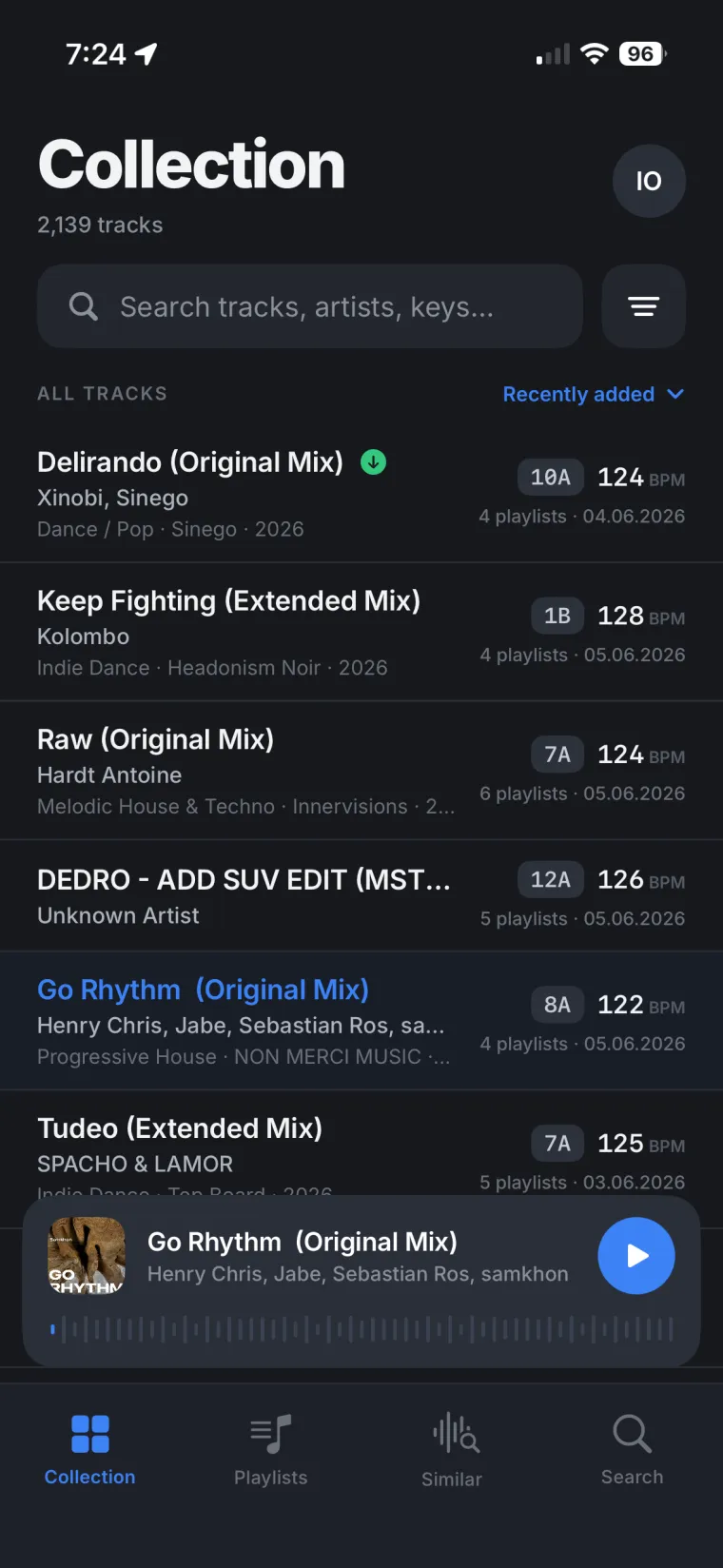
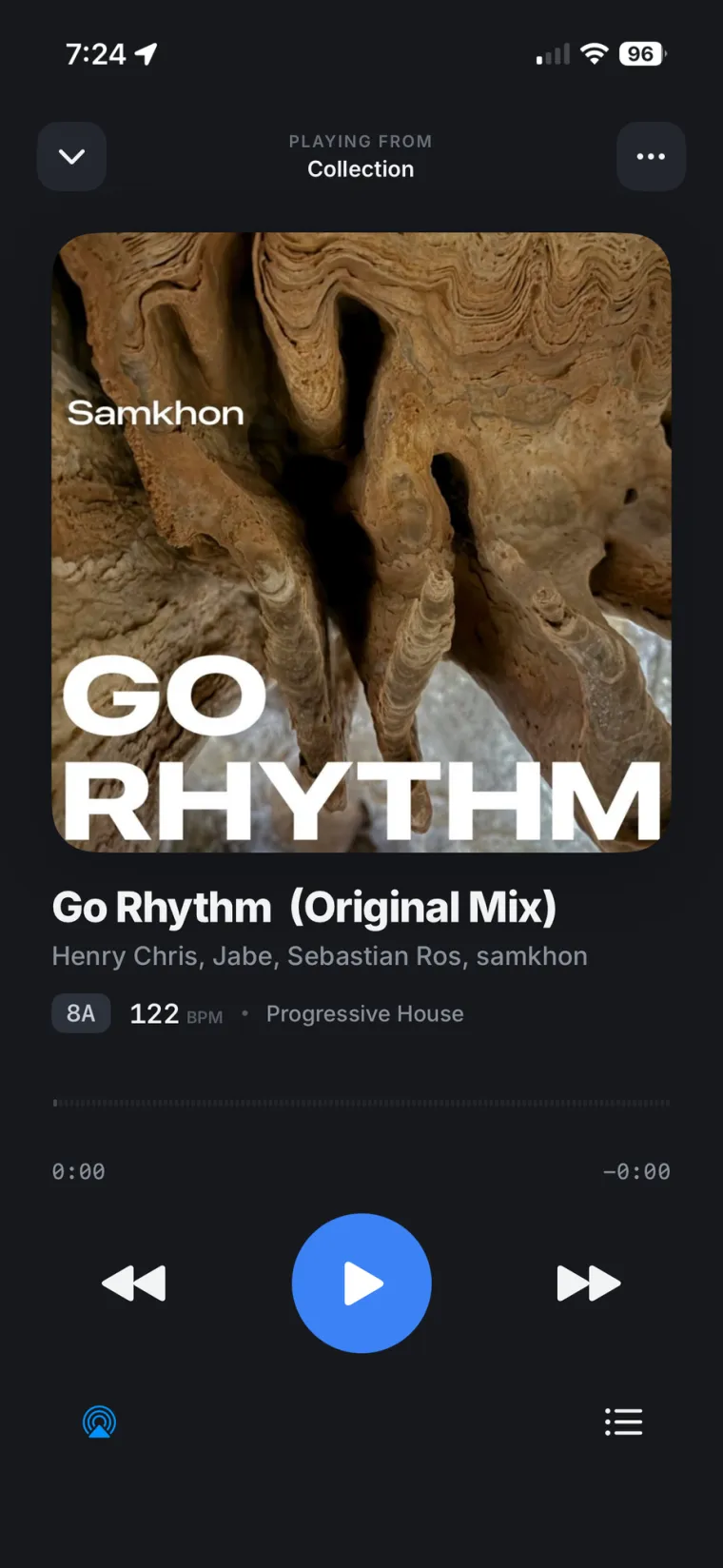
That's the whole idea behind Rimeo. You run a small app on the Mac or PC where Rekordbox lives. It reads your library — the real playlist tree, BPM, key, waveforms — and streams the audio to your iPhone and your browser over a secure private tunnel. Nothing is uploaded; the files never leave your drive.
What you get on the phone:
- Your full playlist tree, exactly as it is in Rekordbox.
- Waveform, BPM and key for every track.
- Search across the whole library.
- Cast to speakers or a TV over Chromecast.
Which one should you pick?
If you only ever carry a small playlist and don't mind a subscription, the official cloud is the path of least resistance. If your library is big, lossless, and you'd rather not copy it into anyone's cloud or pay per gigabyte — streaming it from your own machine is the cleaner answer.
Your whole DJ library on your iPhone, nothing uploaded.
Rimeo streams your Rekordbox DJ library from your own computer, with your playlists, BPM and key. On the phone you can build a playlist and send it back into Rekordbox, download tracks to play with no signal, and find your next track with Similar Tracks.
FAQ
Can you use Rekordbox on iPhone?
Yes. There's an official rekordbox iOS app, and you can also stream your existing desktop library to your iPhone without the official cloud — for example with Rimeo, which serves your library straight from your computer.
Do I have to upload my music to stream it to my phone?
No. The official CloudDirectPlay route uploads your files, but streaming tools like Rimeo serve the audio directly from the computer where it already lives, so nothing is uploaded and your files never leave your drive.
Will my playlists, BPM and key show up on my phone?
With Rimeo, yes — it reads your real Rekordbox library, so the full playlist tree, BPM, key and waveforms come through as-is.