Rekordbox iPhone App: What It Can (and Can't) Do With Your Library
The rekordbox iPhone app lets you DJ and stream tracks, but it can't sync your whole Rekordbox library. Here's what it actually does.

What Is the Rekordbox iPhone App?
The rekordbox iPhone app is AlphaTheta's free mobile DJ app for iPhone and iPad. It lets you mix tracks, trigger effects and pads, and even connect to club gear like a CDJ or XDJ, right from your phone. What it does not do is hand you a working copy of the Rekordbox DJ library that lives on your Mac or Windows computer. Syncing works differently, and it comes with real limits.
If you searched for "rekordbox iphone app" hoping to get your whole DJ library onto your phone the way it sits in Rekordbox at home, this is the gap worth understanding before you install anything.
What Rekordbox for iOS Can Actually Do
According to AlphaTheta's own feature page, rekordbox for iOS is built around DJ performance, not library management. The basics are free: virtual decks, a sampler, loops, effects and quick playlist creation, usable in a vertical or horizontal layout on the touchscreen alone.
- Connect compatible controllers such as the DDJ-FLX4, DDJ-FLX2, DDJ-GRV6 or DDJ-200 and play from the app through real hardware.
- Link to club gear like CDJ-3000, XDJ-RX3 or XDJ-XZ over PRO DJ LINK and play tracks saved in the app through the booth system.
- Play from streaming catalogs: Spotify Premium, Apple Music, TIDAL, SoundCloud and Beatport, depending on your region and your subscriptions to each service.
- Record a set in WAV or AAC and share it straight to SoundCloud or Mixcloud.
This makes rekordbox for iOS a genuine DJ app on its own, not a remote screen for your desktop DJ library.
Can You Use Rekordbox on iPhone Without a Controller?
Yes. AlphaTheta calls this Lite Mode: a simplified, free way to mix with the crossfader, sampler and basic pad effects using only the touchscreen. Cue points, loops, most effects and the keyboard stay off until you move to a paid plan. So the honest answer to "can you use rekordbox on iphone" without buying anything is: you can DJ in a limited way for free, but the fuller toolset sits behind a subscription billed weekly, monthly or yearly.
Check your files before they hit a club system
Rimeo includes a Check quality tool on your computer: drop in a track and see its spectrogram, so a fake lossless file gets caught before a gig, not during one. Download tracks or whole playlists to your iPhone while your computer is on, then play them with no signal at all.
Rekordbox iPhone Sync: the 20-Track Limit You Should Know About
Rekordbox iphone sync between your computer and the app runs through Cloud Library Sync. AlphaTheta's own FAQ is specific about the free tier: on the free and Core plans, you can "upload and sync up to 20 tracks" into a trial playlist, and "the entire library will not be synchronized." Only the paid Creative and Professional plans remove that cap and sync your full DJ library to the cloud.
That number matters if you were picturing thousands of tracks, playlists and folders moving over automatically. For 20 tracks it works as described. For everything else, you're paying for a cloud plan, and your DJ library now lives as a second copy up there, separate from the one on your computer. We've compared what that cloud plan actually includes in Rekordbox Cloud Library Sync vs. Rimeo.
What the Rekordbox iPhone App Can't Do: Your Full DJ Library
Put together, the official app answers a different question than the one most people type into Google. It answers "how do I DJ from my phone," with virtual decks, effects and streaming catalogs. It doesn't answer "how do I get my own Rekordbox DJ library, the one I've spent years building, onto my phone to browse and listen to." AlphaTheta's FAQ confirms the app can't browse a full Mac or Windows DJ library directly; you sync a small slice of it through Cloud Library Sync, or you don't sync it at all.
That's the real pain behind the search: your DJ library is locked on one computer. Rekordbox for iOS was never built to unlock it; it was built to let you DJ somewhere else.
How to Actually Get Your Whole Rekordbox Library on Your iPhone
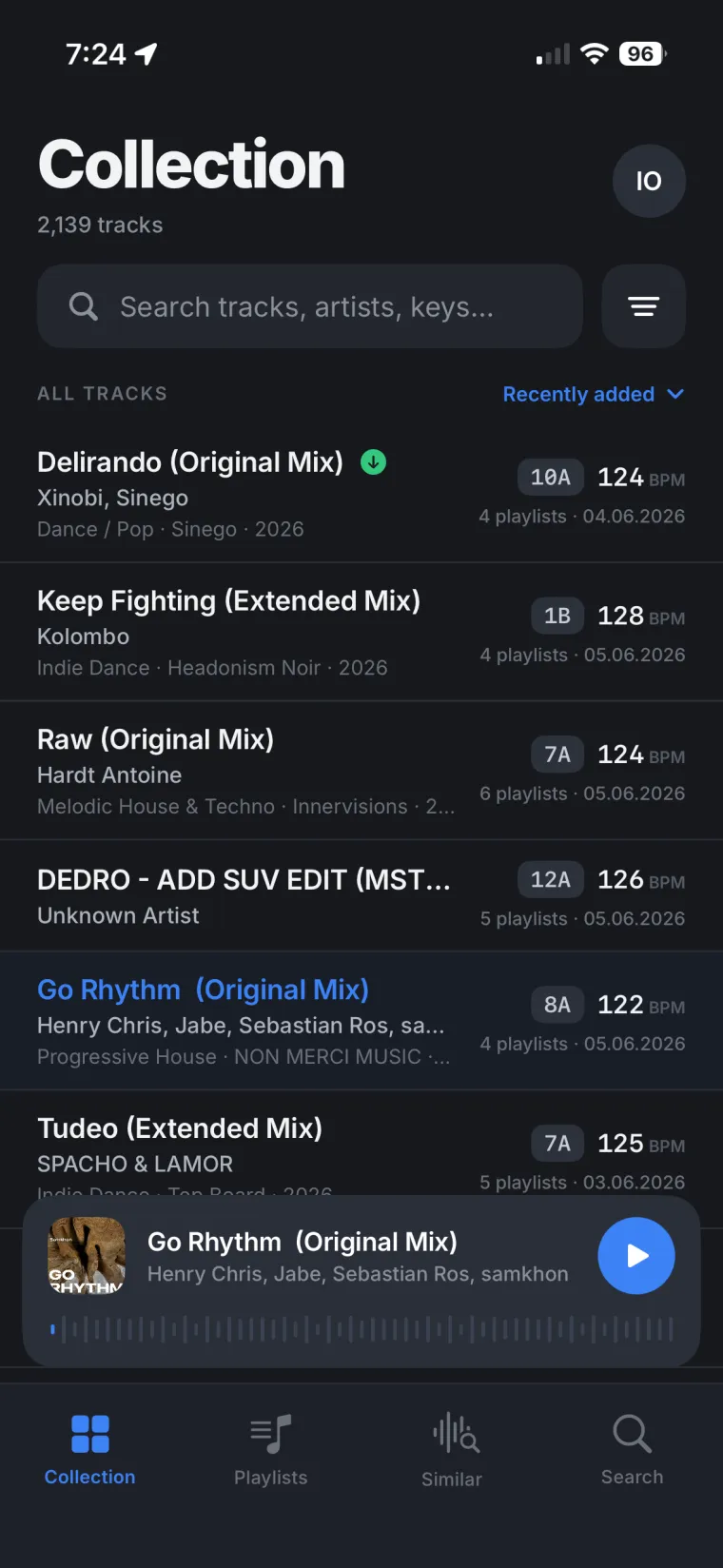
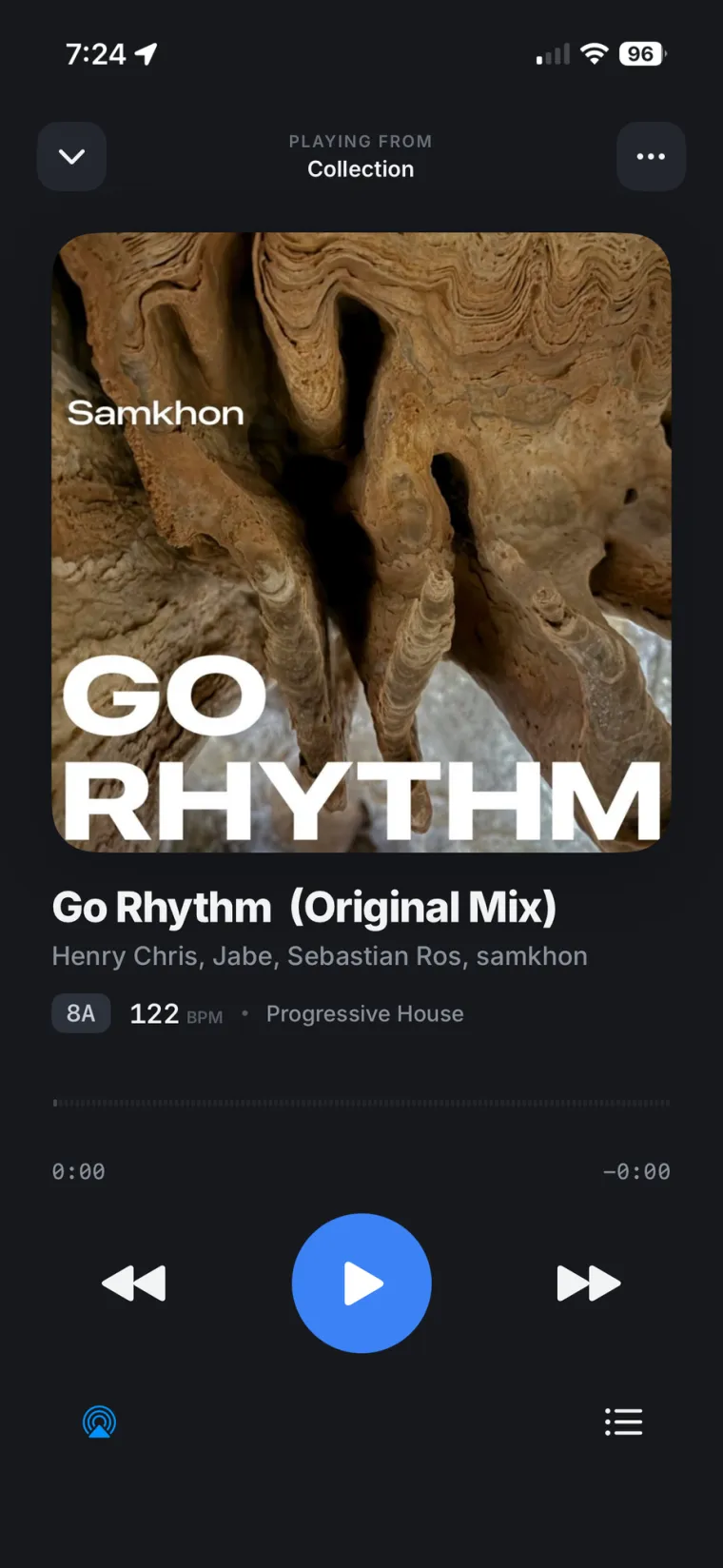
Rimeo takes the opposite approach from Cloud Library Sync. Instead of uploading a trimmed-down copy to a cloud plan, Rimeo reads your real Rekordbox DJ library directly on the computer where it already lives: playlists, folders, play history, BPM, key, genre and artwork. You open that same DJ library from the Rimeo app on your iPhone or from any browser, streamed from your own computer, with nothing uploaded anywhere.
Build a playlist on the phone on the way to a gig and it lands in actual Rekordbox, same name, same folder, same order, nothing to re-import. We cover more ways to reach that DJ library remotely in How to Stream Your Rekordbox Library to Your iPhone.
FAQ
What is the rekordbox iPhone app?
It's AlphaTheta's free mobile DJ app for iPhone and iPad. It lets you mix with virtual decks or a connected controller, add effects, and link to compatible CDJ and XDJ gear.
Can you use rekordbox on iPhone without a controller?
Yes, through Lite Mode, a free simplified mode using only the touchscreen. Cue points, loops, most effects and the keyboard are disabled until you subscribe.
Does rekordbox for iOS sync my whole Rekordbox library?
Not on the free or Core plan. AlphaTheta's FAQ says those plans sync up to 20 tracks into a trial playlist; the entire DJ library only syncs on the paid Creative and Professional Cloud Library Sync plans.
Can rekordbox for iOS play music from streaming services?
Yes. It supports Spotify Premium, Apple Music, TIDAL, SoundCloud and Beatport, with availability depending on your region.
How do I get my full Rekordbox library onto my iPhone?
The official app isn't built for that. Rimeo streams your existing Rekordbox DJ library, playlists and all, from your own computer to the Rimeo app on your iPhone or to any browser, without uploading it to a cloud plan.
Your real DJ library, not a 20-track trial
Pulse reads your own set history back to you, showing which tracks are in heavy rotation and which never make a set. Similar Tracks picks the next record from music already in your own DJ library, based on your own playlists and sets.
Sources
FAQ
What is the rekordbox iPhone app?
It's AlphaTheta's free mobile DJ app for iPhone and iPad. It lets you mix with virtual decks or a connected controller, add effects, and link to compatible CDJ and XDJ gear.
Can you use rekordbox on iPhone without a controller?
Yes, through Lite Mode, a free simplified mode using only the touchscreen. Cue points, loops, most effects and the keyboard are disabled until you subscribe.
Does rekordbox for iOS sync my whole Rekordbox library?
Not on the free or Core plan. AlphaTheta's FAQ says those plans sync up to 20 tracks into a trial playlist; the entire DJ library only syncs on the paid Creative and Professional Cloud Library Sync plans.
Can rekordbox for iOS play music from streaming services?
Yes. It supports Spotify Premium, Apple Music, TIDAL, SoundCloud and Beatport, with availability depending on your region.
How do I get my full Rekordbox library onto my iPhone?
The official app isn't built for that. Rimeo streams your existing Rekordbox DJ library, playlists and all, from your own computer to the Rimeo app on your iPhone or to any browser, without uploading it to a cloud plan.